
Quick start
Your first passage
isobar plans a passage for your boat through the weather: it sails every hour of the forecast with your boat's polars, counts the waves that slow her and the current that carries her, and tells you how sure the forecast is. This guide walks through one passage from start to finish, from Prickly Bay, Grenada to Sainte-Anne, Martinique, about 165 miles up the Windward Islands, in Minerva, a 12.5 m cutter.
The figures below are what the app showed for a departure on 7 November 2026. Yours will differ: it is a forecast.
The screen
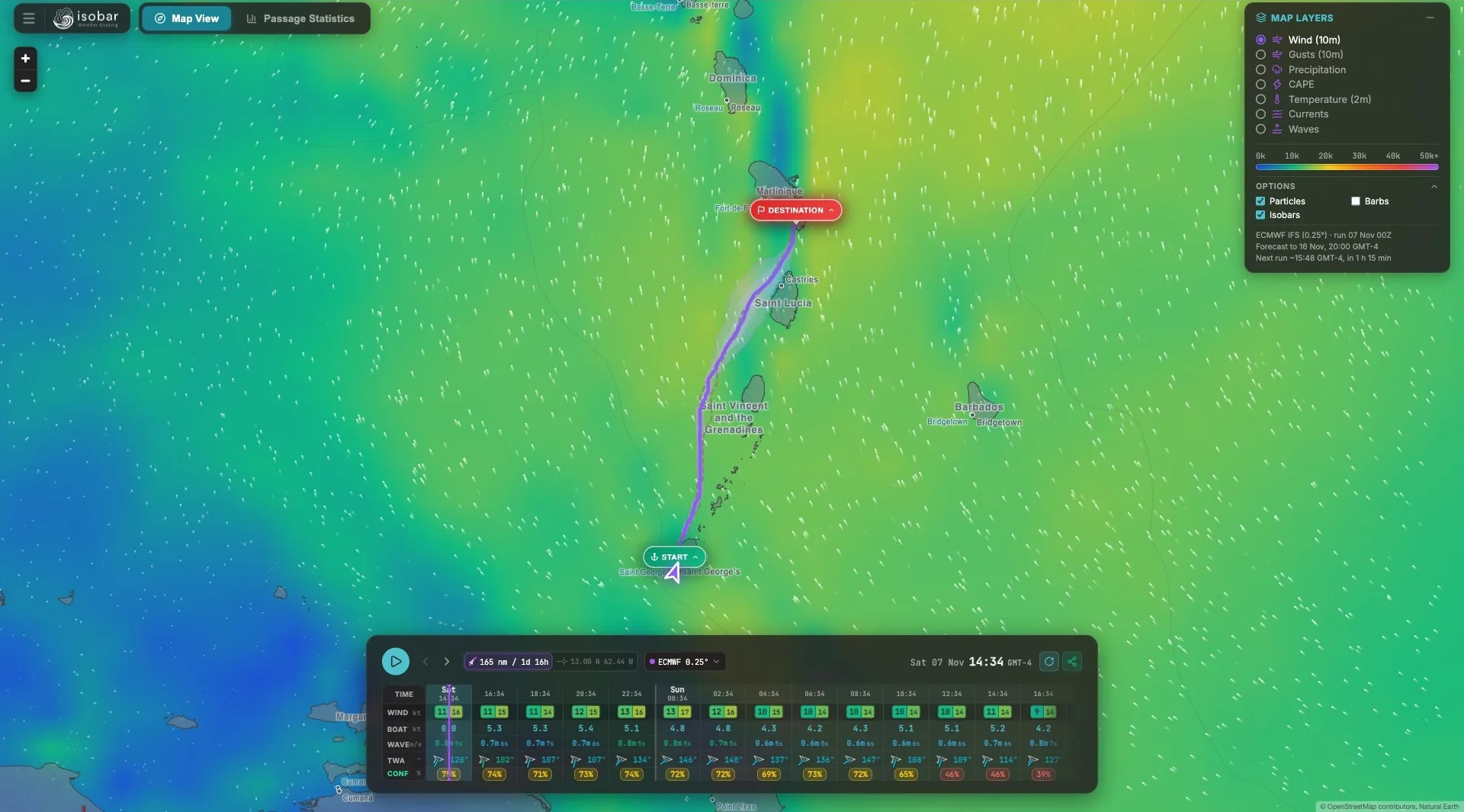
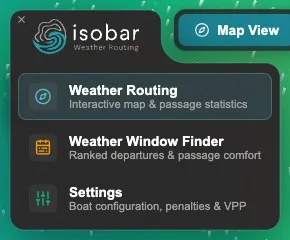
- Top left, the menu and the two views of a passage: Map View and Passage Statistics. The menu also opens the Weather Window Finder and the Settings.
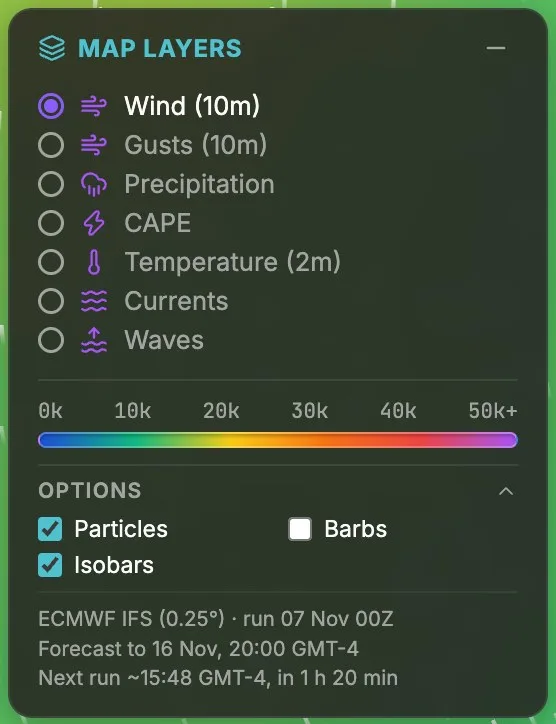
- Top right, the map layers: wind, gusts, rain, CAPE (thunderstorm energy), air temperature, currents and waves, with the forecast's model and run under them.
- Bottom, the timeline: the forecast hour by hour, for the passage or for any point you click on the map.
1Your boat
Every passage is routed for how your boat sails. The first time you open isobar it asks what you sail; later, open Settings → + Sailboat.
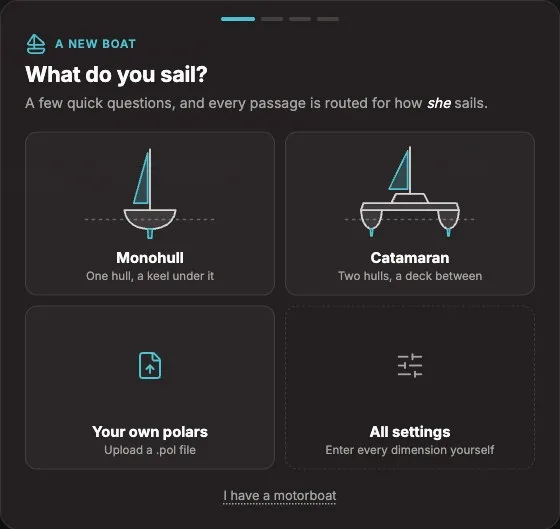
- Monohull or Catamaran: answer a few questions — rig, keel, size — and isobar works out her polars (how fast she sails at every wind angle and strength) with its velocity prediction program.
- Your own polars: upload a
.pol,.txt,.csvor.tsvpolar table. - All settings: enter every dimension yourself.
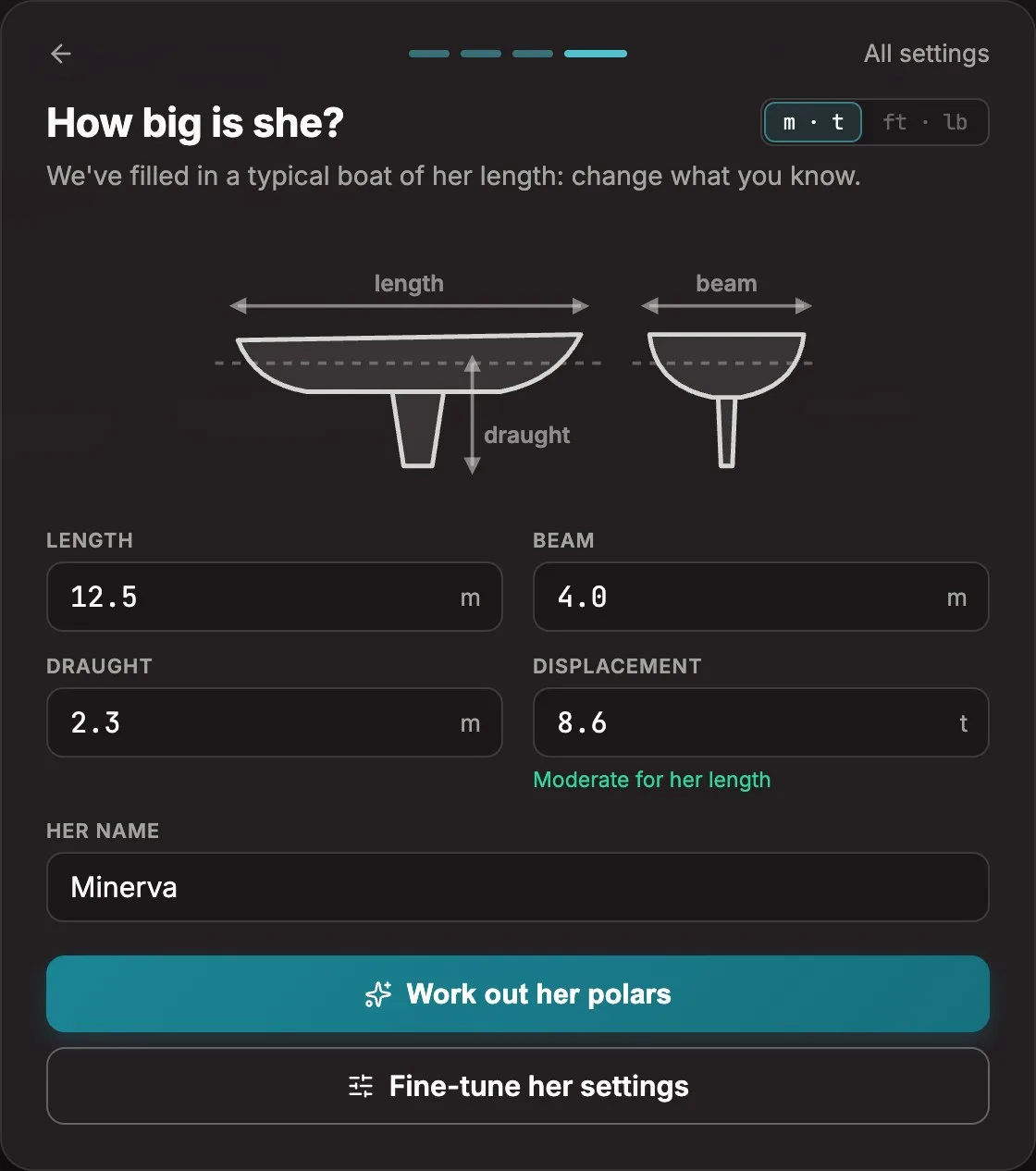
The last step starts from a typical boat of her length: change what you know and leave the rest. Work out her polars saves her and makes her your boat; Fine-tune her settings opens the full boat builder. Motorboats are set up from + Motorboat, with a length and a cruising speed.
2Plan a passage
Click the map where you want to leave from. The crosshair moves there with its actions beside it; choose Set Start. Click where you are going and choose Set Destination.
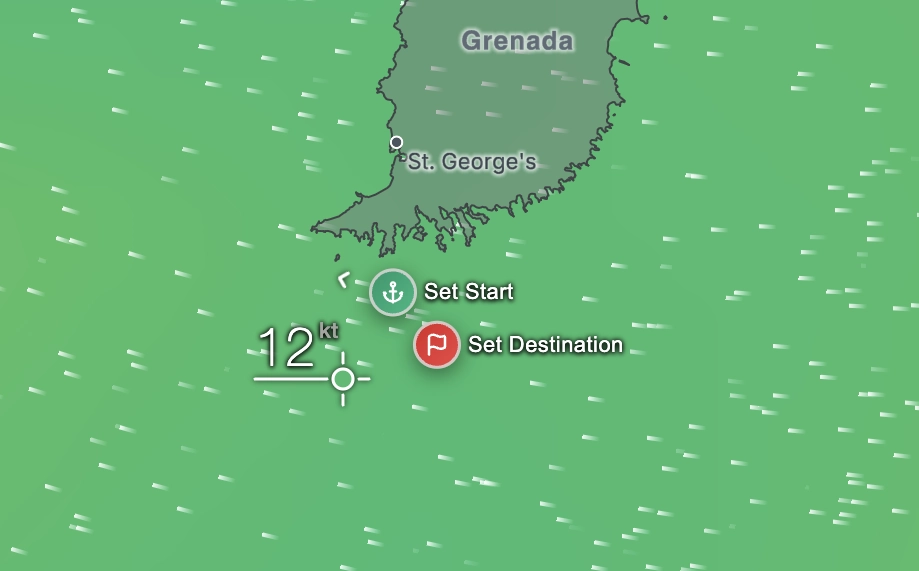
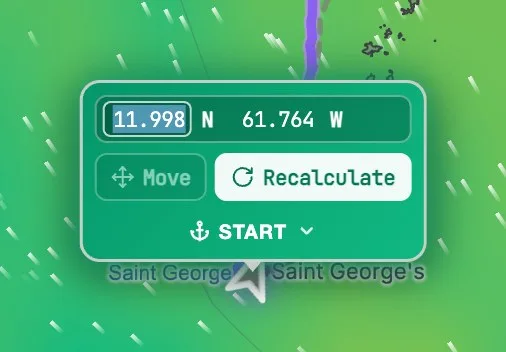
To put an end on an exact position, open its pin and type it: here Prickly Bay,
11.998 N 61.764 W. Move puts the pin there;
Recalculate also sails the passage again. You can drag a pin, too.
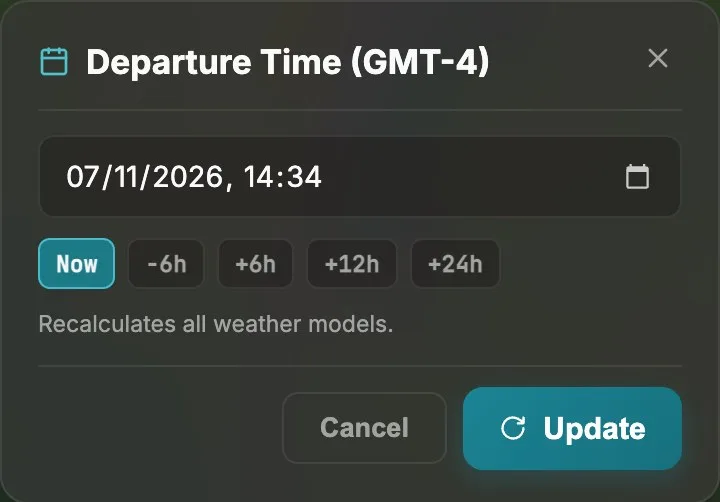
With both ends set, isobar asks when you leave. Now and the shortcuts (−6 h … +24 h) set the time; Calculate routes the passage with every weather model at once — GFS, ECMWF and ICON. To change the departure later, use ↻ in the timeline: it asks again, and the button reads Update.
3Read the answer
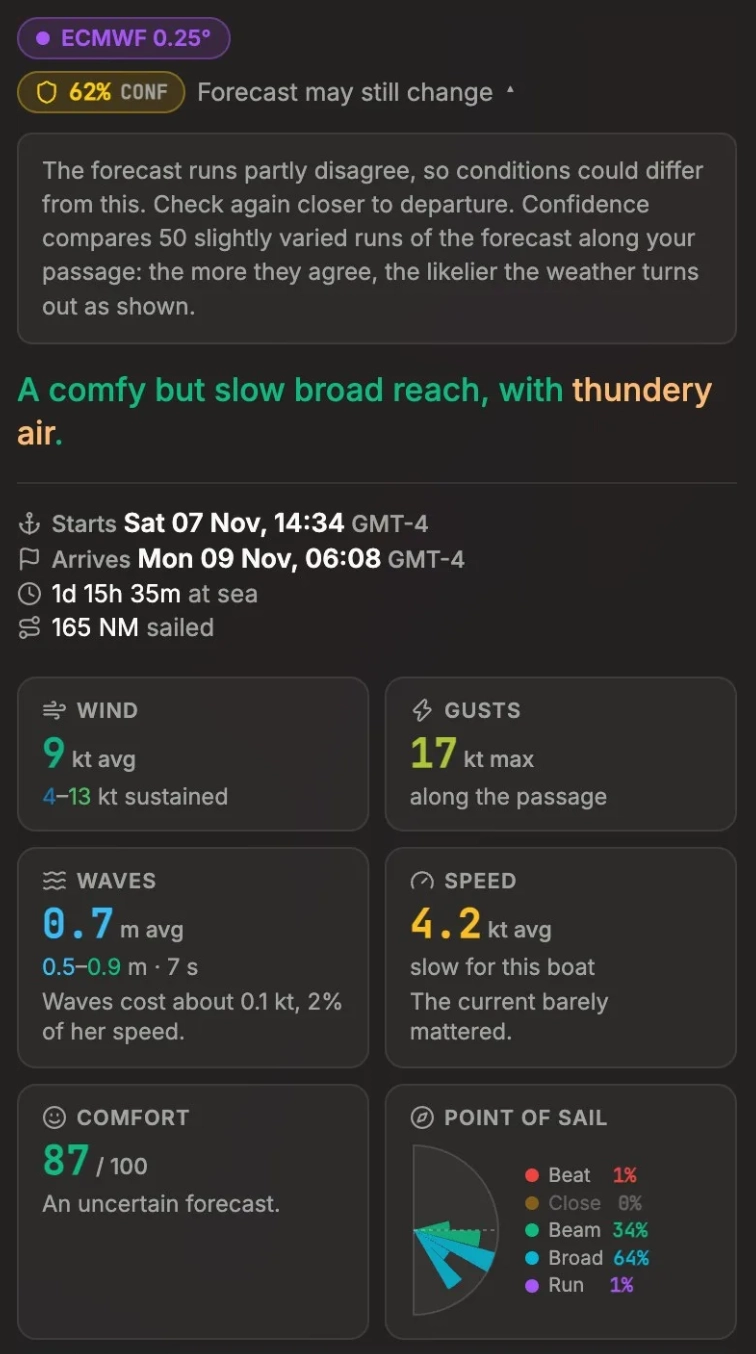
From the top:
- The model the answer is from, and the confidence: how much the forecast's ensemble — 50 slightly different runs of it — agrees along your passage. Here 62 %: “Forecast may still change”. Click it for what that means.
- The sentence: what the passage will be like, in the colour of its comfort, with its warnings. Here “A comfy but slow broad reach, with thundery air.”
- When and how far: leaving Saturday 14:34, arriving Monday 06:08, 1 day 15 hours, 165 miles.
- The figures: wind and gusts, waves, speed, comfort and the point of sail. The waves box says what the sea cost her (“Waves cost about 0.1 kt, 2 % of her speed”) and the speed box what the current did (“The current barely mattered” here; on a passage with a real current it says by how much it helped or held her back).
Show passage takes you to it on the map. Look for another weather window opens the window finder.
4The passage on the map
The passage is the colored line. The soft haze around it is how far the best track could shift if the weather turns out like the ensemble's other runs: narrow where the forecast agrees, wider where it does not. The grey dashed lines are the same passage in the other models' weather; point at one to see which model it is. Each model has its own distinctive color.
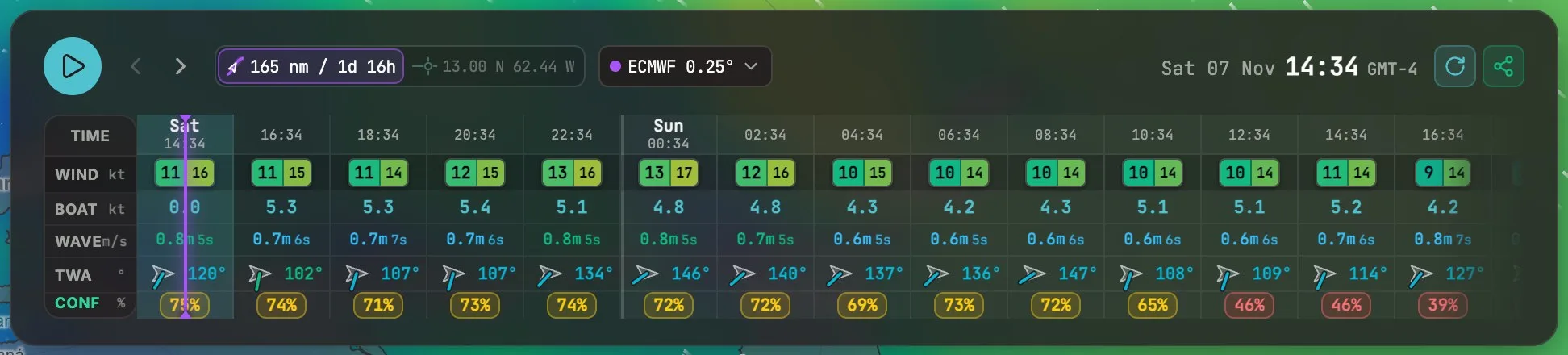
The timeline follows the passage hour by hour: the wind and the gust, the boat's speed over the ground, the waves, the true wind angle and the forecast's confidence. ▷ plays the passage: the boat moves along it and the map shows the weather she meets. A row changes with the map's layer: choose Currents and it shows the current.
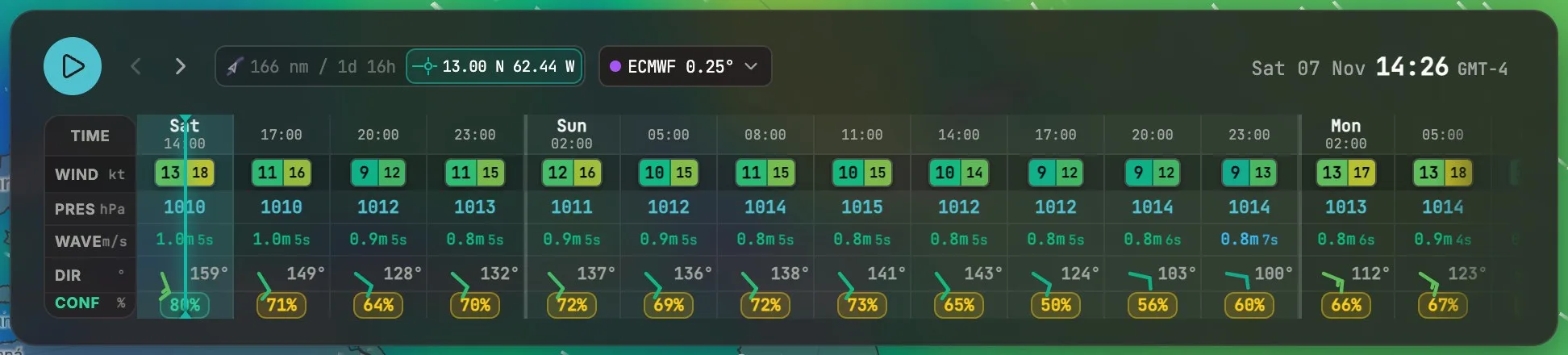
Click anywhere on the map to see the forecast at that point instead: wind, pressure, waves, wind direction and confidence. The switch at the top of the timeline goes back to the passage.
Every boat speed in isobar is over the ground, current included, unless it says otherwise.
5Passage statistics
Passage Statistics is the whole passage on one page. The switch at the top changes the weather model, and every figure on the page with it. The title names the nearest towns.
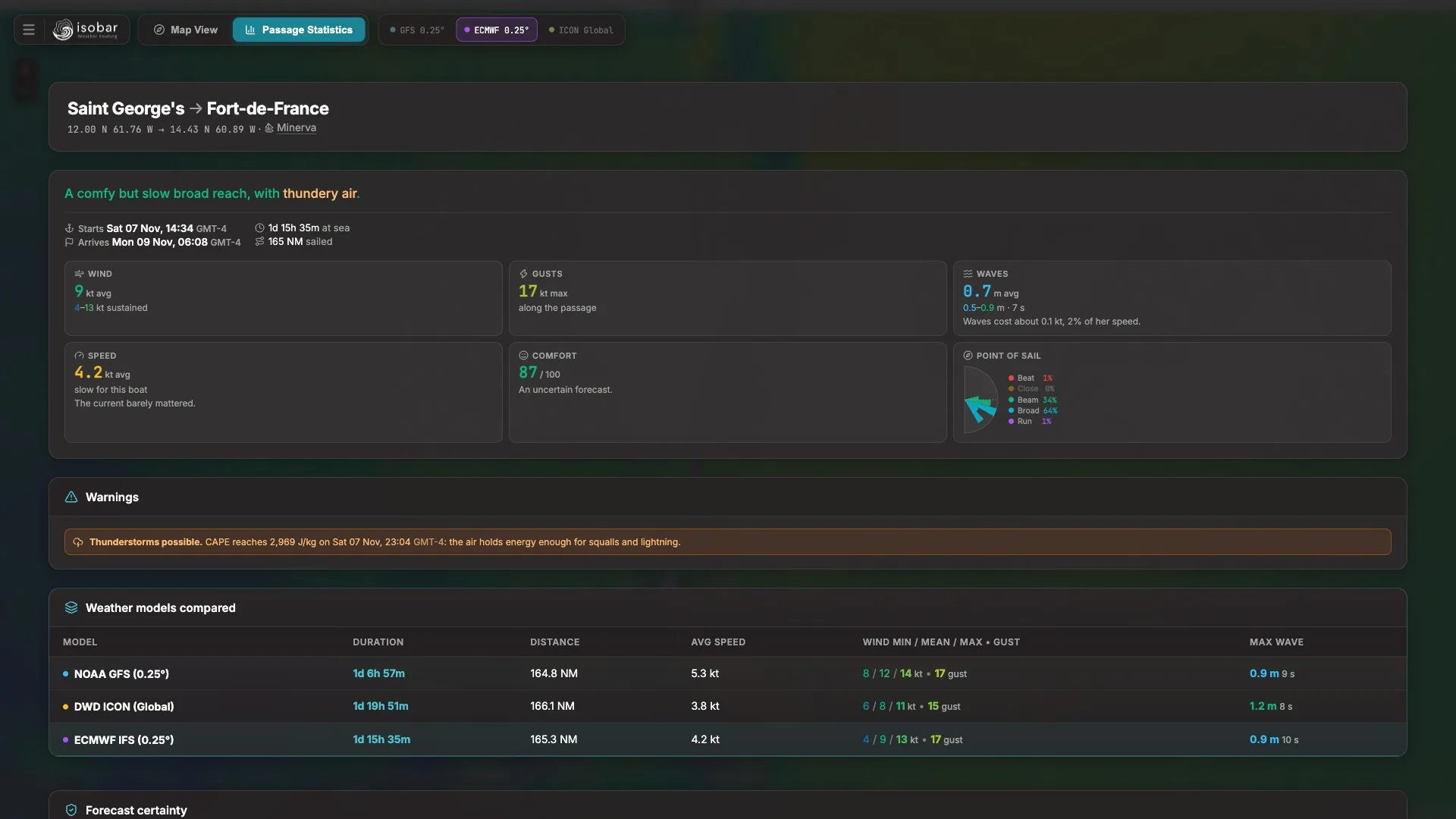
- Warnings spell out what to watch for, with the time: here Thunderstorms possible, with CAPE of almost 3,000 J/kg on Saturday night. isobar also warns of gales, long spells of light air, a strong cross current and arriving in the dark.
- Weather models compared: the same passage in each model. When they disagree — here GFS has her in about eight hours sooner than ECMWF, ICON about four hours later — the forecast is less sure than any one of them looks.
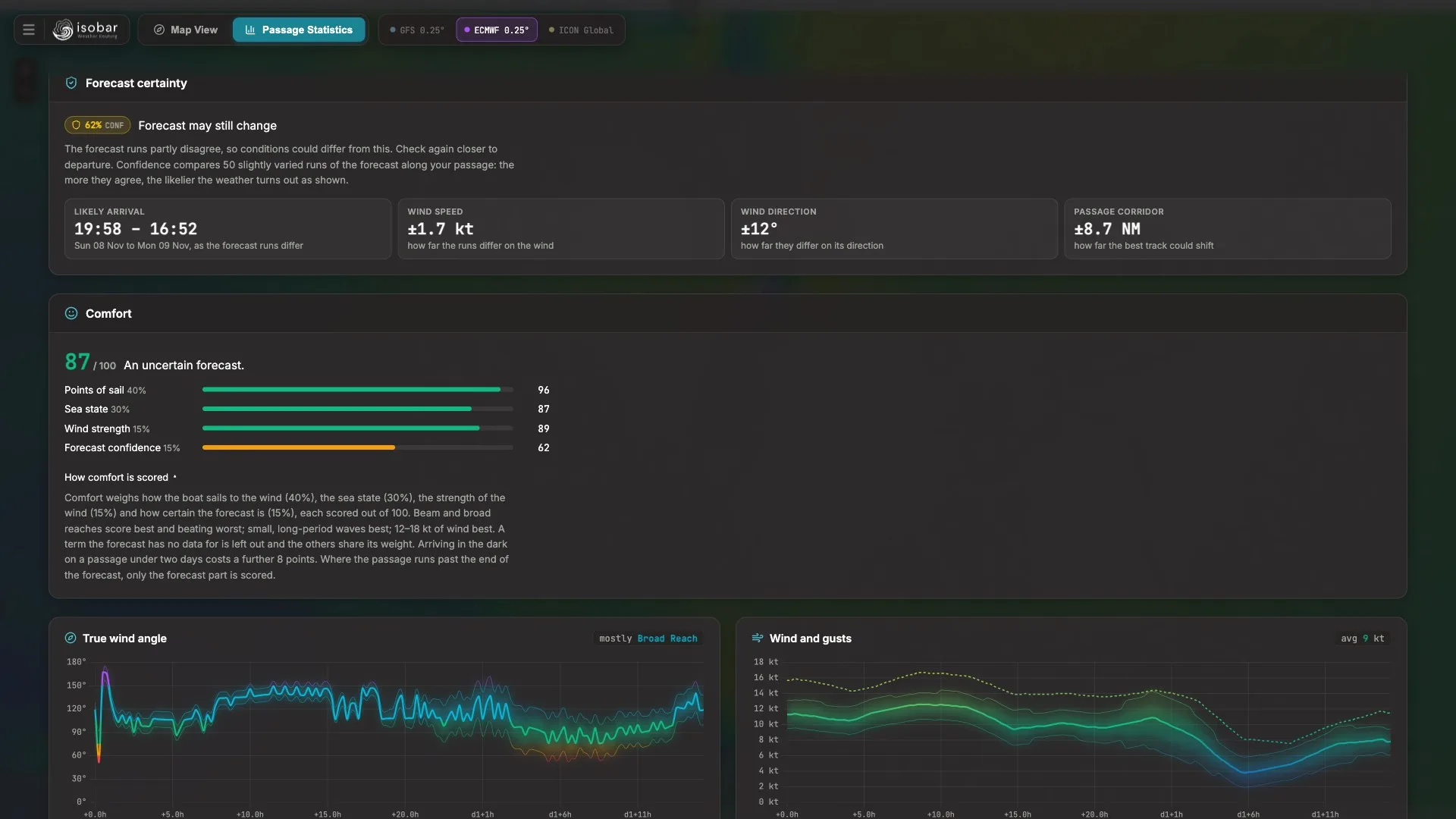
- Forecast certainty turns the confidence into what you plan with: when she could arrive (a window of hours), how far the wind speed and direction could differ, and how far the track could shift.
- Comfort scores the passage out of 100: the point of sail (40 %), the sea state (30 %), the wind's strength (15 %) and the forecast's certainty (15 %), with 8 points off for arriving in the dark on a passage of under two days. How comfort is scored explains it in full.
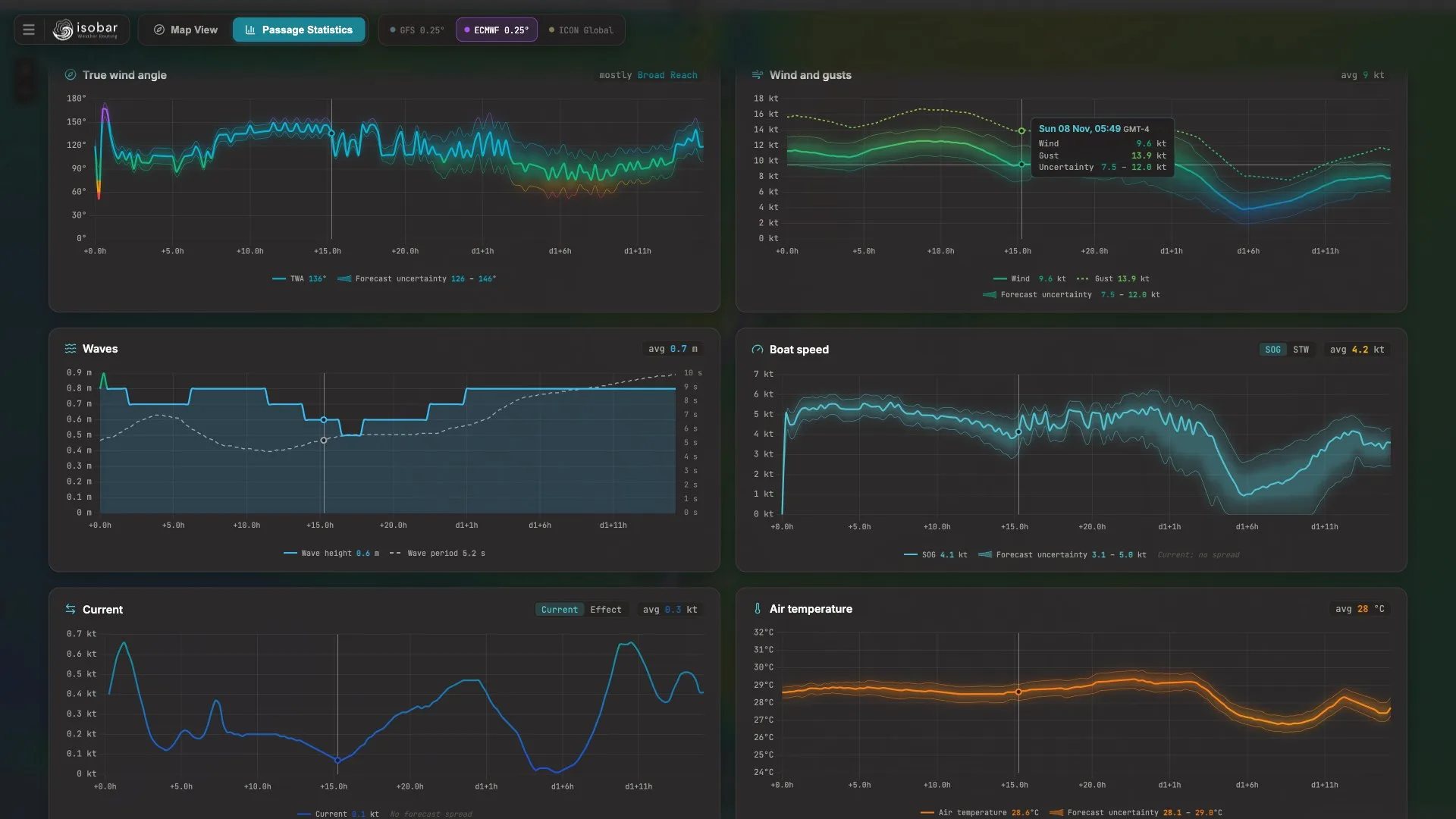
The charts — wind angle, wind and gusts, waves, boat speed, current, air temperature, rain, CAPE and pressure — follow the passage hour by hour. The soft band behind each line is the forecast's spread: narrow, you can plan on it; wide, keep an eye on it. Point at a chart and every chart follows; the box gives each value and its uncertainty (wind 9.6 kt, 7.5–12.0 kt). The boat speed switches between SOG and STW (through the water), the current between the current itself and its Effect on her speed.
6When to leave: the weather window finder
The best passage often depends on when you leave. Open Weather Window Finder from the menu, choose the first and last departure, how often to try one (up to ten departures) and the model, and Find weather windows: isobar sails the passage for each departure and ranks them.
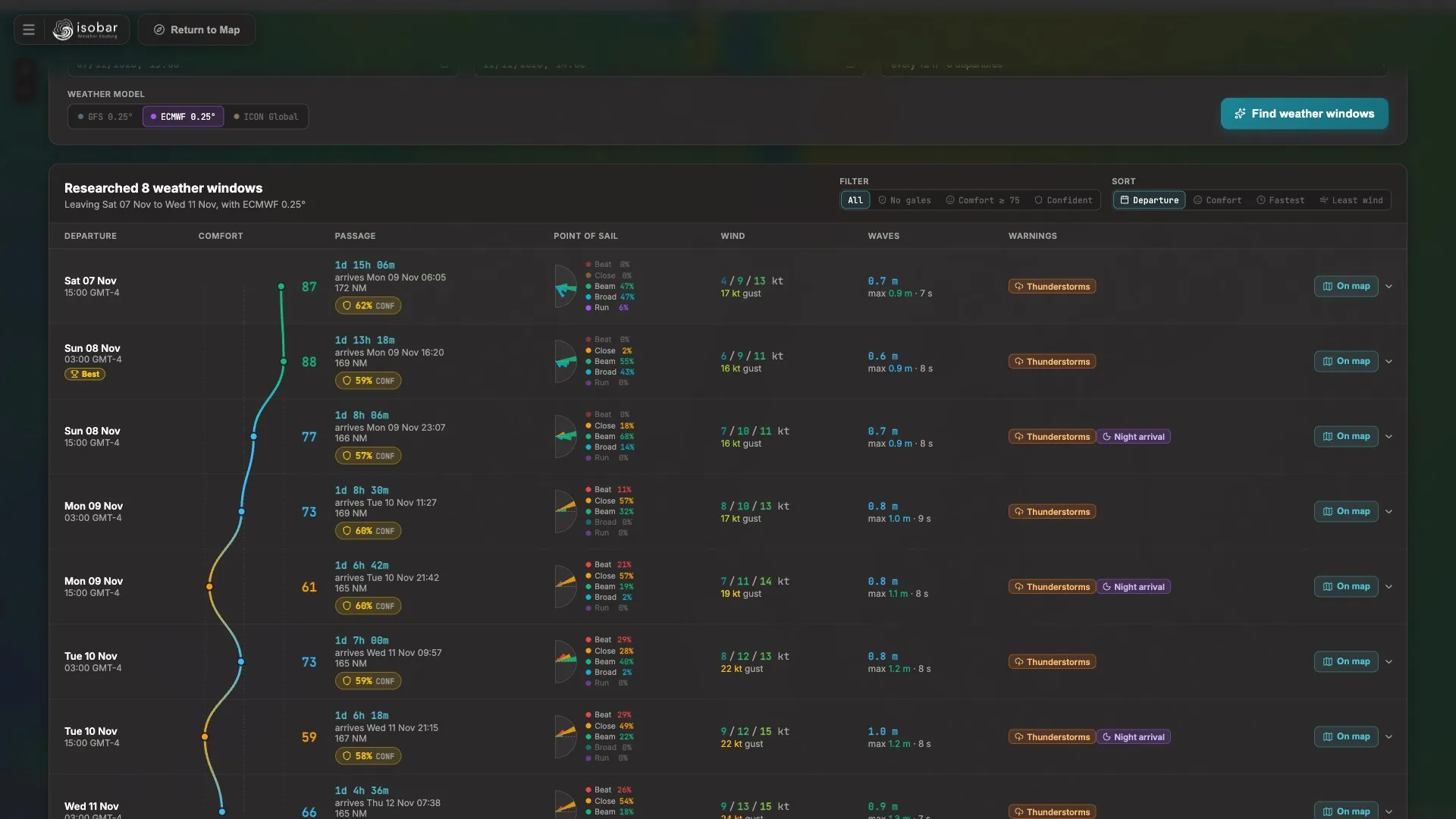
Each row is one departure: its comfort, on the comfort plot running down the list, then the time at sea and arrival with its confidence, the point of sail, the wind, the waves and the warnings. The most comfortable wears Best.
Here the answer is clear: leave this afternoon or early on Sunday (87 and 88). From Monday the wind heads her — the passage turns into a close reach and a beat, comfort falls to around 60, and several arrive at night. Filter keeps only some (no gales, comfort 75 or more, a confident forecast); Sort orders them by departure, comfort, speed or the least wind.
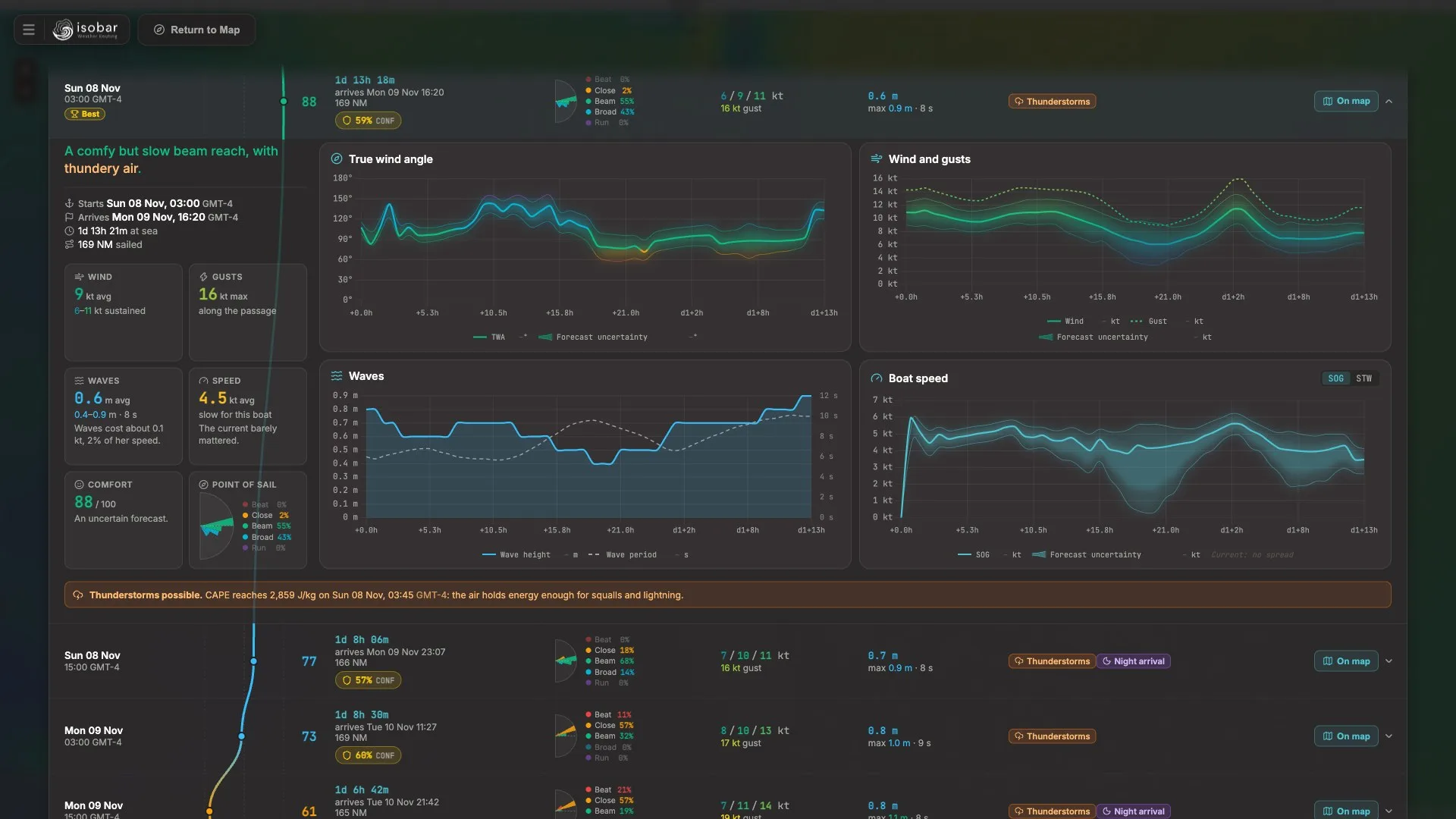
Click a row to open it: the summary, the charts with their bands and the warnings in full. On map shows that departure's passage on the map.
Good to know
- Without an account you can plan passages of up to 150 miles, two a day, with GFS; sign in for every model, longer passages and the full window search.
- Your boats, settings and current passage follow your account to every device you sign in on.
- Times are shown in your device's time zone; change it in Settings → Display time zone.
- Past the end of the forecast a passage carries on, greyed and marked as a guess.